Key Takeaways
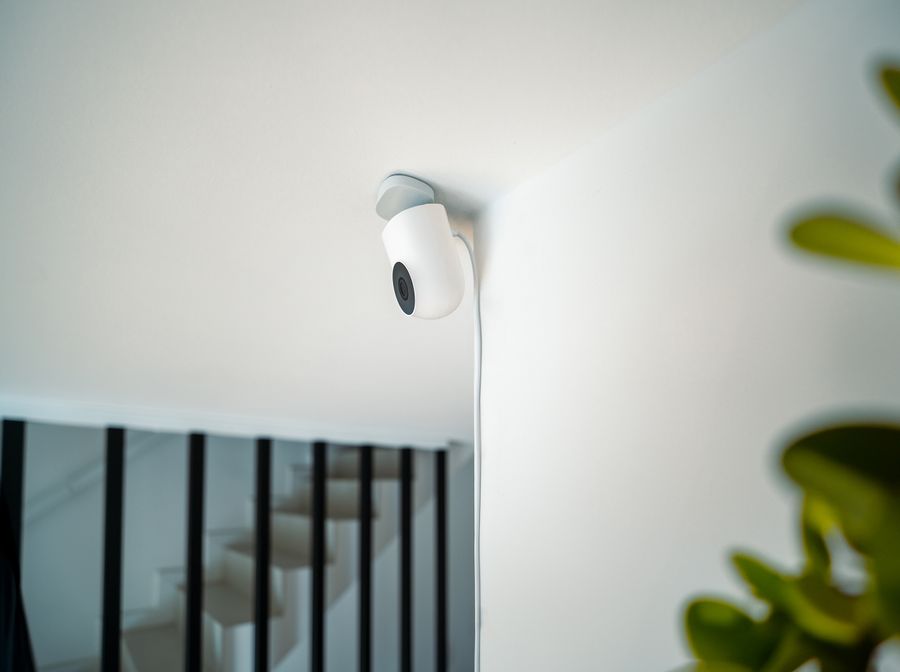
- Smart security cameras with motion detection and cloud storage give you real-time visibility and evidence you can share with police.
- Visible deterrents like smart doorbells, outdoor cameras, and alarm signage dramatically lower the chance a thief will target your property.
- Smart locks eliminate the risks tied to hidden spare keys and let you control access remotely for family, guests, and service workers.
- Randomized smart lighting is a proven deterrent that outperforms old-school plug-in timers and manually left-on lamps.
- A professionally monitored alarm system paired with glass-break and door sensors cuts response times when every second matters.
- Strong Wi-Fi security, two-factor authentication, and regular firmware updates are essential because smart devices can be hacked.
- A layered approach — doors, windows, lights, cameras, and monitoring working together — beats relying on any single gadget.
Why Smart Technology Changed the Burglary Game
Burglars used to case neighborhoods on foot, looking for dark windows, overgrown lawns, and mail piling up on the porch. Many still do. They watched for routines, timed when cars left in the morning, noted which houses had dogs, and checked whether side gates were latched. It was slow, patient work, and it rewarded the homes that looked the most forgettable from the street. But the balance of power has shifted. Homeowners now carry the equivalent of a security command center in their pocket, with live video, two-way audio, motion alerts, and remote door locks all a thumb-tap away. That shift is showing up in the data, in insurance claims, and in the behavior of criminals themselves.
According to the Council on Criminal Justice, residential burglary rates in 2025 fell 51% below the 2018 peak of 387.4 per 100,000. Smart technology is not the only reason, but it is a huge part of the story. Cameras, sensors, and app-based alerts have made homes harder targets and made criminals think twice. Interviews with convicted burglars consistently show the same pattern: visible cameras, smart doorbells, and signs of an active alarm system push them to skip a house and move on to an easier one down the block. Many burglaries are crimes of opportunity, and smart devices remove the opportunity before the first window is tested. Even inexpensive gear, like a $35 video doorbell or a motion-activated floodlight, can be enough to redirect a would-be intruder to a softer target.
The good news is you do not need to rip out your walls or spend thousands of dollars to get started. A smart approach to home protection is layered, affordable, and can be installed one step at a time, often in a single weekend. You can begin with one camera at the front door, add contact sensors on the most vulnerable windows next month, and layer in smart lighting or a full alarm system when the budget allows. Each piece adds a new deterrent, and together they form a system that is much harder to defeat than any single device on its own. This guide walks you through exactly how to protect your home from burglars, in what order to add each layer, and why each piece matters.
Start With an Honest Walk-Around of Your Property
Before you buy a single device, go outside and look at your home like a stranger would. Which windows are hidden by shrubs? Which doors are out of sight from the street? Where would you break in if you had to? This simple exercise is the foundation of every good security plan.
Walk the perimeter at night too. Dark corners, broken motion lights, and shadowy garage sides are exactly where intruders prefer to work. Make a written list of weak spots. You will use this list to prioritize spending in the next steps.
Map Entry Points and Blind Spots
Most break-ins happen through the front door, a first-floor window, or the back door. Count every ground-level entry point on your home, including basement windows and attached garage doors. Note anything a six-foot-tall person could reach from a fence, trash bin, or air conditioning unit.
Then mark your blind spots — areas where a neighbor could not see activity even in daylight. These are the spots where cameras and smart lighting will have the biggest payoff. A clear map makes the rest of your plan nearly automatic.
Install a Smart Video Doorbell as Your First Line of Defense
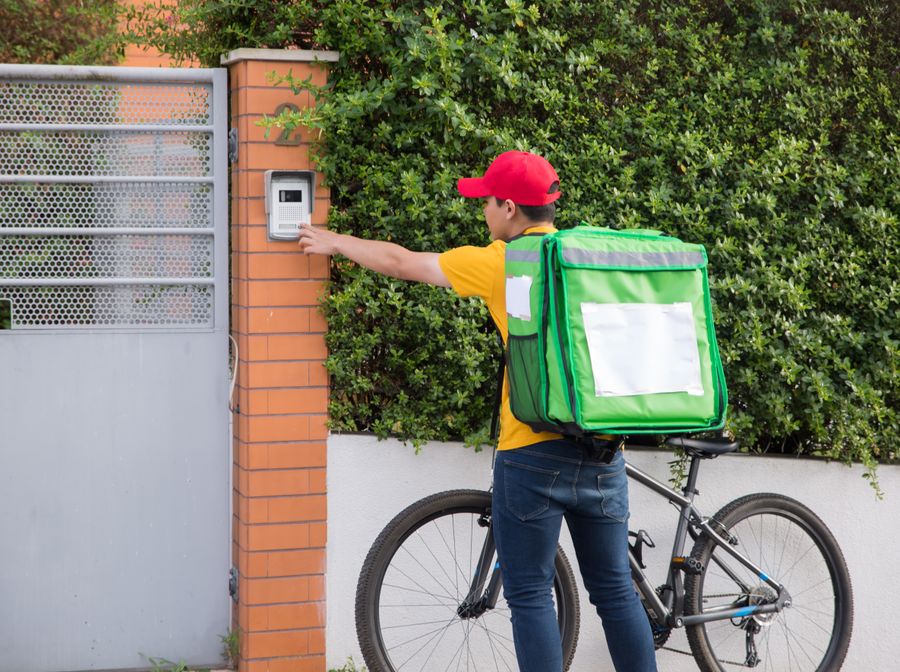
If you only buy one smart security product, make it a video doorbell. It covers the most common break-in location, records anyone who approaches, and signals to would-be thieves that this house is paying attention. Thieves pay attention to signals like these.
Research from Modern Home Protection found that 83% of burglars actively look for an alarm system before trying to enter a home. A doorbell camera plays the same psychological role. When someone sees a lens staring back at them, the risk calculation changes fast.
Look for a doorbell with these features:
- 1080p or higher video resolution with a wide field of view
- Two-way audio so you can speak to visitors from anywhere
- Motion zones you can customize to ignore passing cars
- Cloud or local storage for recorded clips
- Night vision that produces usable images, not just grainy shapes
- Integration with your phone, smart speaker, or hub
Install it at chest height, angled slightly down, and test the motion alerts before you walk away. Adjust the sensitivity so you are not bombarded by every squirrel that crosses the lawn.
Add Outdoor Cameras Where Doorbells Cannot See
A doorbell watches the front door, but what about the side gate, the back patio, or the driveway? Outdoor cameras fill those gaps. They also act as a strong visual deterrent, especially when mounted where they are easy to spot but hard to reach.
Place cameras at seven to nine feet off the ground. Any lower and they can be knocked out with a broomstick. Any higher and they capture mostly the tops of heads instead of faces. Aim for coverage that overlaps slightly, so there is no gap a person could slip through unseen.
Choosing Between Wired and Wireless
Wired cameras are rock solid. They never run out of battery, usually record continuously, and connect to a dedicated network video recorder. The downside is installation — you may need to drill through walls or hire an electrician.
Wireless and battery-powered cameras are much easier to set up and move. They do require occasional recharging and depend on strong Wi-Fi. For most families getting started, a mix of a wired camera at the main entry and battery cameras at secondary spots strikes a nice balance between cost and reliability.
Upgrade to Smart Locks and Stop Hiding Keys Under Rocks
The hidden key under the flowerpot is a tradition burglars know by heart. Smart locks end that game for good. They let you give unique codes to family members, dog walkers, and short-term guests, and you can revoke access the moment you no longer need it.
A good smart lock also logs every entry. You will know when your teenager got home from school and when the plumber actually arrived. Pair it with your doorbell camera, and you have video proof matched to a digital timestamp.
Key features worth paying for:
- Auto-lock after a set number of seconds
- Tamper alerts sent to your phone
- Backup physical key or keypad in case of dead batteries
- Integration with your alarm system for one-tap arming
- Support for guest codes with scheduled expiration
Replace the short screws that came with your deadbolt with three-inch screws into the stud. A smart lock is only as strong as the door frame holding it, and a solid kick still beats any electronics.
How to Protect Your House From Intruders Using Smart Lighting
Lighting is one of the most underrated tools in modern security. Burglars avoid being seen, and smart lighting takes away their cover. The key is making the lighting look like a real person lives there — not like a timer clicking on at 7 p.m. every single night.
According to Safe Home, smart lights that use real-time alerts and randomized schedules outperform traditional timers and simply leaving lamps on. The randomness is what sells the illusion. A light that turns on at 6:47 one night and 7:22 the next looks human. A light that clicks on at the same minute every evening looks automated.
Build your lighting plan in layers:
- Motion-activated floodlights at every exterior corner
- Smart bulbs in living rooms and bedrooms for randomized indoor activity
- Pathway lights to eliminate ground-level shadows
- A porch light tied to sunset and sunrise, not a fixed clock time
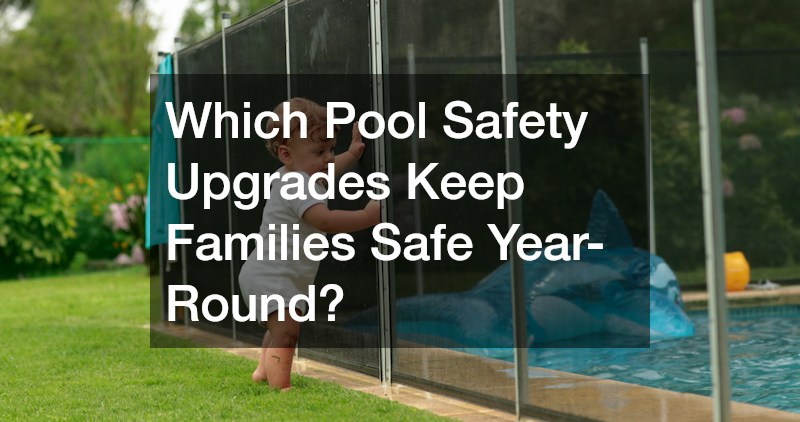
If you have a pool or spa in the backyard, consider how your perimeter lighting ties into other pool safety upgrades you already have in place. Good outdoor lighting serves double duty — it deters intruders, and it helps prevent accidents around water features after dark.
Set Up a Monitored Alarm System With Smart Sensors
A camera records what happened. An alarm system stops it from happening. The two work together, and in a layered plan, neither replaces the other. A professionally monitored system gives you a trained dispatcher who can confirm the alert and send police while you are still fumbling for your phone in a dark hotel room three states away.
Modern alarm systems are wireless, battery-backed, and tie into the same app that controls your cameras and locks. Installation is usually a DIY afternoon, and monthly monitoring fees have dropped to the ten-to-thirty-dollar range at most providers.
The Sensors That Actually Matter
Not every window needs the same treatment. Focus on coverage that matches how burglars actually get in.
- Door contact sensors on every exterior door, including the one to the garage
- Window contact sensors on all ground-floor windows and any second-floor window reachable from a roofline
- Glass-break sensors in rooms with large windows or sliding patio doors
- Motion sensors in hallways and central rooms that an intruder must cross
- Smoke and carbon monoxide sensors tied into the same hub for whole-home awareness
Arm the system in “stay” mode at night so interior motion sensors are off, but every perimeter opening is watched. Arm it in “away” mode when you leave. The habit takes about a week to stick, and then it feels as automatic as buckling a seatbelt.
Lock Down Your Wi-Fi Before a Hacker Beats a Burglar to It

Every smart device in your house talks over your home network. If that network is weak, a motivated attacker can disable cameras, unlock doors, or simply watch your feeds to learn your schedule. Digital security is physical security now, and ignoring one side of that equation makes the other side pointless.
Start with the router itself. Many people are still running the default password printed on a sticker, or firmware that has not been updated in years. Both are open invitations.
Practical Network Steps Anyone Can Do
- Change the default admin password on your router to something long and unique
- Enable WPA3 encryption, or WPA2 if WPA3 is not available
- Create a separate guest network and put all your smart devices on it, isolated from phones and laptops
- Turn on automatic firmware updates for the router and every smart device that supports it
- Use two-factor authentication on every security app — camera, lock, alarm, and hub
- Replace any device that the manufacturer has stopped supporting with security patches
If you share accounts with a spouse or older kids, use the app’s built-in family sharing feature instead of giving out your password. Every person gets their own login, their own two-factor code, and their own activity trail. That same principle of giving each family member their own clear role applies to managing family healthcare and most other shared household systems — clarity about who has access to what prevents the small gaps where problems sneak in.
Tie It All Together With a Smart Hub and Routines
Buying devices is the easy part. Making them work as one system is where most homeowners stall. A smart hub — whether that is an Amazon Echo, a Google Nest display, a SmartThings hub, or an Apple Home setup — lets your doorbell, lights, locks, and alarm respond to each other instead of sitting in separate silos.
The payoff comes in routines. A single tap or voice command can run a sequence of actions that would take a minute to do manually. Done right, routines make the security system feel invisible on a normal day and razor-sharp the moment something is wrong.
Routines Worth Building Today
- A “goodnight” routine that locks every door, arms the alarm in stay mode, dims the interior lights, and turns on the porch light
- A “leaving” routine triggered when the last phone leaves the geofence, arming the system in away mode and switching cameras to high sensitivity
- A “vacation” mode that randomizes interior lighting across multiple rooms and sends you a daily summary of activity
- A “package arrived” routine that records a short clip and pings your phone when the doorbell detects someone at the porch
- An “alarm triggered” routine that turns every smart light in the house to full brightness and starts recording on every camera
Test each routine before you rely on it. Walk through the yard, trigger a sensor, ring the doorbell, and watch what the system actually does. Adjust from there.
Do Not Forget the Low-Tech Habits That Still Matter
Smart gear is powerful, but it does not replace the basic habits that have protected homes for generations. A $400 camera pointed at an unlocked door is not going to save you. The devices work best when they reinforce good behavior, not when they are asked to make up for ignoring it.
Keep shrubs trimmed below window height. Store ladders in a locked shed or garage, not propped against the side of the house. Break down boxes from expensive purchases before they hit the curb — a flatscreen box at the trash tells every passerby exactly what is sitting in your living room. When you travel, pause mail and package delivery, and ask a neighbor to park in your driveway now and then.
Talk through the plan with everyone in the household. Kids should know how to disarm the alarm, who is on the approved pickup list in the camera app, and what to do if they come home to a door that is already open. A system only works when the people living with it understand it.
Conclusion
Smart technology has flipped the script on break-ins. The tools that used to belong to banks and jewelry stores now sit in boxes on your porch for under a hundred dollars each, and they talk to each other through an app you already carry. A video doorbell, a few outdoor cameras, a smart lock, randomized lighting, a monitored alarm with the right sensors, and a secured network form a stack that makes your house one of the hardest targets on the block. Most burglars will not bother. They will keep walking.
The best plans are built one layer at a time. Start with the walk-around and the doorbell this weekend. Add the smart lock next month. Layer in cameras, lighting, and an alarm when the budget allows. Each piece adds deterrence on its own and multiplies the strength of everything already installed. The homes that get hit in 2026 and beyond will overwhelmingly be the ones without any of this — not the ones with a half-finished setup.
Protecting your family is not about chasing the newest gadget or spending the most money. It is about thinking like someone who wants in, closing the gaps they would exploit, and building habits that keep the whole system working day after day. Do that, and the technology quietly does its job in the background, exactly the way good security should.